Looking for a flexible, cost‑effective way to manage contacts, sales pipelines, and customer support without paying hefty licensing fees? An open source CRM gives you exactly that—a fully customizable platform you can host on your own servers or in the cloud, letting you retain data ownership while tailoring features to your business processes. Companies ranging from startups to enterprises are adopting these solutions because they combine the power of enterprise‑grade functionality with the freedom of community‑driven development. In fact, a recent Gartner 2025 CRM Market Report shows that 38% of midsize firms now run at least one open source CRM alongside proprietary tools.
Why Open Source CRM Is Gaining Momentum in 2026
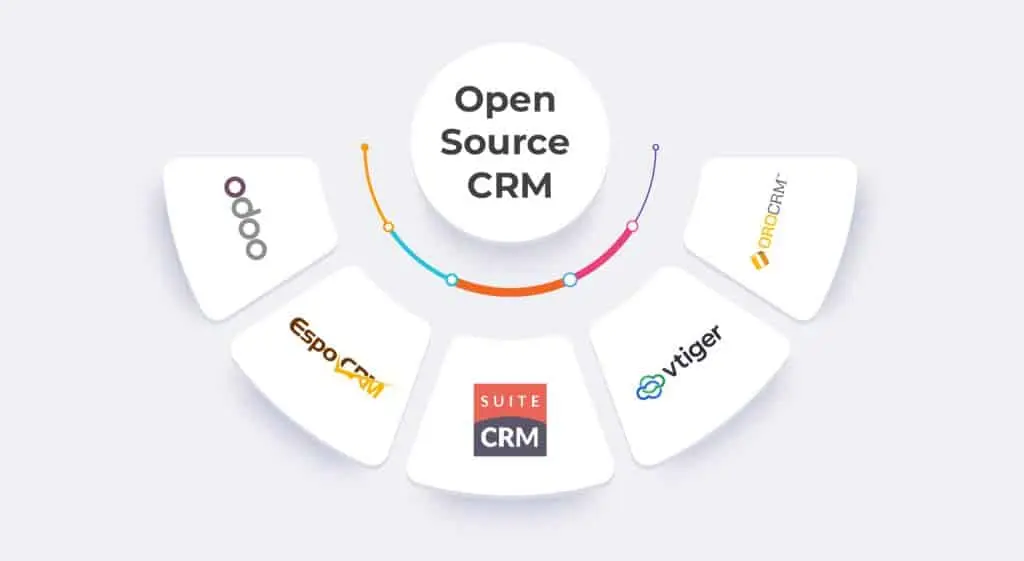
Several trends converge to make open source customer relationship management a strategic choice today:
- Cost transparency: No hidden per‑user fees; you only pay for hosting, support, or premium modules.
- Customization depth: Access to source code lets developers build bespoke workflows, integrations, and UI tweaks without waiting for a vendor roadmap.
- Data sovereignty: Companies can keep sensitive customer data on‑premise or in a private cloud, complying with GDPR, CCPA, or local regulations.
- Community innovation: Thousands of contributors continuously add new features—think AI‑driven lead scoring, real‑time analytics dashboards, and native mobile apps.
Key Open Source CRM Features to Expect in 2026
Modern open source platforms have caught up with, and often surpassed, many commercial alternatives. Below are the core capabilities you should look for:
Table of Contents
- Why Open Source CRM Is Gaining Momentum in 2026
- Key Open Source CRM Features to Expect in 2026
- 1. Seamless CRM Integration
- 2. Advanced Automation & Workflow Engine
- 3. AI‑Powered Insights
- 4. Mobile‑First Experience
- 5. Robust Security Controls
- Top Open Source CRM Candidates for 2026
- Real‑World Success Stories
- Case Study: A Regional Real Estate Brokerage
- Case Study: A SaaS Startup Scaling to 200 Employees
- Step‑by‑Step Guide to Deploy an Open Source CRM
- Common Pitfalls and How to Avoid Them
- FAQ – Open Source CRM in 2026
- Future Outlook: What’s Next for Open Source CRM?
1. Seamless CRM Integration
Whether you need to sync with Google Workspace, connect to accounting software, or embed a live chat widget, most open source CRMs support RESTful APIs, webhook events, and pre‑built connectors. This integration flexibility reduces manual data entry and ensures a single source of truth across departments.
2. Advanced Automation & Workflow Engine
Automation isn’t limited to email triggers. Expect drag‑and‑drop builders that can automate lead routing, task assignments, and even multi‑step approval processes. According to a 2026 survey by TechValidate, businesses that implemented workflow automation in an open source CRM saw a 27% reduction in sales cycle time.
3. AI‑Powered Insights
Many open source projects now embed machine‑learning modules for predictive lead scoring, churn analysis, and sentiment detection. The community‑driven nature means you can plug in your own models or use open AI libraries such as TensorFlow or PyTorch, keeping costs low while staying on the cutting edge.
4. Mobile‑First Experience
Responsive design and native iOS/Android apps are now standard. Field teams can update opportunities, capture notes, and access contact histories offline, syncing automatically when connectivity returns.
5. Robust Security Controls
Self‑hosting gives you control over encryption, authentication (OAuth, SAML, LDAP), and role‑based access. Open source projects publish security patches publicly, enabling rapid response to vulnerabilities—something that’s often slower in proprietary ecosystems.
Top Open Source CRM Candidates for 2026
Below is a concise comparison of the most popular free CRM software platforms, based on community activity, feature set, and ease of deployment.
| Platform | Primary Strength | Typical Use‑Case | Community Size (2025) |
|---|---|---|---|
| SuiteCRM | Full‑feature replacement for SugarCRM | Mid‑size B2B sales teams | ≈ 12,000 contributors |
| Odoo CRM | Modular ERP integration | Businesses needing accounting, inventory, and CRM together | ≈ 20,000 contributors |
| EspoCRM | Lightweight, highly customizable UI | Startups and SMBs looking for rapid rollout | ≈ 5,800 contributors |
| Vtiger CRM | Customer support ticketing + sales | Service‑oriented organizations | ≈ 8,300 contributors |
Each platform can be deployed on popular cloud providers like AWS, Azure, or DigitalOcean, or on-premise using Docker containers for simplified scaling.
Real‑World Success Stories

Seeing the theory in action helps clarify the ROI you can expect.
Case Study: A Regional Real Estate Brokerage
The brokerage adopted a tailored open source CRM to replace a legacy system that cost $15,000 annually in licensing. By hosting the solution on a modest VPS ($25/mo) and leveraging community‑built property‑listing modules, they cut operating expenses by 80% and increased lead conversion by 14% within six months.
Case Study: A SaaS Startup Scaling to 200 Employees
Using Odoo CRM’s modular architecture, the startup integrated billing, subscription management, and automated onboarding flows. The result? A 35% faster customer‑to‑revenue timeline, as reported in their quarterly review.
Step‑by‑Step Guide to Deploy an Open Source CRM
Ready to get started? Follow this practical roadmap to launch a self‑hosted CRM in under a month.
- Define Business Requirements – List must‑have modules (lead capture, pipeline view, ticketing) and integration points (email, calendar, ERP).
- Select the Platform – Match requirements to the matrix above; for a lightweight setup, EspoCRM is ideal.
- Choose Hosting Environment – Cloud VPS with at least 2 vCPU, 4 GB RAM, and SSD storage; ensure backup snapshots.
- Install via Docker Compose – Most projects provide a
docker‑compose.ymlfile. Example command:
docker‑compose up -d - Secure the Instance – Enable HTTPS (Let’s Encrypt), set strong admin passwords, and configure firewall rules (port 443 only).
- Configure Core Modules – Create custom fields, design sales stages, and set up automated email templates.
- Integrate Third‑Party Tools – Use the API to connect with Google Workspace, Slack, or your accounting system. See the Google CRM guide for step‑by‑step API linking.
- Train Users & Roll Out – Conduct short webinars, distribute cheat sheets, and gather feedback for iterative improvements.
- Monitor & Optimize – Leverage built‑in analytics to track adoption, pipeline velocity, and data quality.
Common Pitfalls and How to Avoid Them
Even open source solutions can stumble if you’re not prepared.
- Under‑estimating Maintenance – Open source means you handle updates. Set a quarterly patch schedule.
- Skipping Data Backups – Automate daily snapshots; a single corruption event can erase months of history.
- Over‑Customizing Early On – Build a solid core first; add custom modules after the base system stabilizes.
- Neglecting User Adoption – Without proper training, even the best platform will see low utilization. Pair rollout with incentives.
FAQ – Open Source CRM in 2026
- Is an open source CRM really free?
- Yes, the software license is typically free (e.g., GPL or AGPL). However, you still need to budget for hosting, support, and possible premium extensions.
- Can I use an open source CRM for a multi‑location enterprise?
- Absolutely. Most platforms support multi‑tenant architectures, role‑based permissions, and can be scaled horizontally across data centers.
- How secure is a self‑hosted CRM compared to SaaS?
- Security depends on your configuration. When you enforce strong encryption, regular patching, and strict access controls, a self‑hosted solution can be more secure than a generic SaaS offering.
- Do I need a developer to customize an open source CRM?
- Basic custom fields and workflows can be handled through the UI. Deeper changes—like new modules or AI integration—will require developer expertise.
- What’s the difference between “free CRM software” and “open source CRM”?
- Free CRM often refers to a freemium SaaS product with limited features, while open source CRM provides full source‑code access, enabling unlimited customization and self‑hosting.
Future Outlook: What’s Next for Open Source CRM?
Looking ahead, three developments are set to reshape the landscape:
- AI‑first extensions: Community projects are integrating large language models for conversational sales assistants, reducing manual note‑taking.
- Composable Architecture: Micro‑frontend approaches will let businesses swap UI components without affecting the core backend.
- Zero‑Trust Networking: Built‑in support for identity‑centric security will become a standard requirement for regulated industries.
Staying engaged with the community—through forums, GitHub, or annual conferences—ensures you benefit from these innovations as soon as they become available.
By adopting an open source CRM, you gain the agility of a startup and the robustness of enterprise software—all while keeping costs transparent and data under your control. Whether you’re a small business looking for a budget‑friendly solution or a growing enterprise seeking deep integration, the open source ecosystem offers a path forward that scales with your ambitions.
