Looking for a free CRM that can actually power your sales pipeline without hidden fees? The answer lies in choosing a platform that offers robust contact management, lead tracking, and basic automation while remaining truly cost‑free, and the market now provides several mature options that meet those criteria. In this guide we’ll compare the top free solutions, explain how to evaluate them against your business needs, and show you how to get started without spending a dime. For a deeper dive into CRM selection, see our step‑by‑step guide on picking the right CRM that walks you through the process.
Why a Free CRM Still Matters in 2026
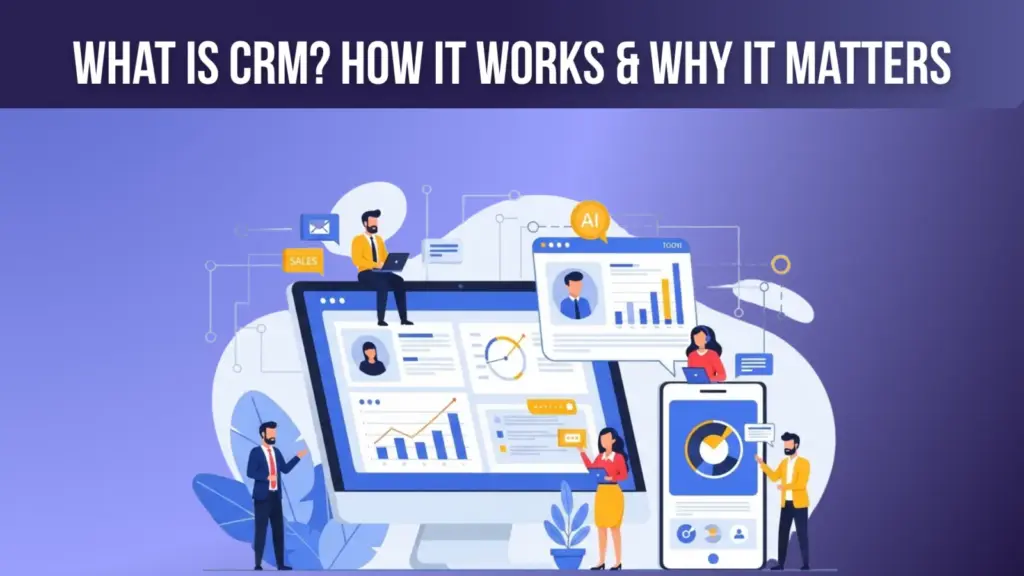
Even as enterprise‑grade systems command premium prices, the majority of small and medium‑sized businesses (SMBs) still operate on tight budgets. According to a 2025 survey by the Small Business Administration (SBA), 68% of SMBs consider software cost a primary barrier to digital transformation. A free customer relationship management (CRM) tool eliminates that barrier, letting teams capture leads, automate follow‑ups, and generate reports without a financial commitment.
Beyond cost, free CRMs have matured dramatically. Many now run on cloud‑based infrastructure, provide mobile apps, and integrate with popular marketing stacks such as Mailchimp and Google Workspace. This convergence means you can enjoy many of the same productivity gains as paid platforms—only you keep the budget intact.
Table of Contents
- Why a Free CRM Still Matters in 2026
- Top Free CRM Platforms in 2026
- Feature Comparison Table
- How to Choose the Right Free CRM for Your Business
- 1. Map Your Sales Process
- 2. Identify Must‑Have Integrations
- 3. Test Automation Limits
- 4. Evaluate Data Security & Compliance
- 5. Consider Future Scalability
- Real‑World Case Study: A Startup’s Journey from Spreadsheet to Free CRM
- Common Pitfalls When Using a Free CRM—and How to Avoid Them
- Step‑by‑Step Guide: Setting Up a Free CRM in Under an Hour
- FAQs About Free CRMs
- Can I use a free CRM for unlimited contacts?
- Is my data safe on a free platform?
- Do free CRMs support mobile access?
- Will I lose data if I upgrade to a paid plan?
- Can I integrate a free CRM with my website’s contact form?
- Future Outlook: How Free CRMs Will Evolve by 2028
- Conclusion: Leverage a Free CRM to Accelerate Growth Without the Cost
Top Free CRM Platforms in 2026
Below is a snapshot of the most widely adopted free CRM solutions, based on user adoption data from G2 Crowd (2026) and feature parity with paid tiers.
- HubSpot CRM Free – Unlimited users, contact and company records, email tracking, and basic reporting. Integrates natively with HubSpot’s Marketing Hub, making it a strong choice for inbound teams.
- Zoho CRM Free Edition – Supports up to 3 users, leads, accounts, and workflow automation. Offers AI‑driven lead scoring in the free tier, a rare feature at this price point.
- Freshsales Free – Provides a visual pipeline, email and phone integration, and built‑in chat. Ideal for startups that need quick lead capture from web forms.
- Insightly Free – Limited to 2 users but includes project management features, allowing you to track post‑sale activities without extra tools.
- Bitrix24 Free – A comprehensive suite with CRM, task management, and collaboration tools for up to 12 users, perfect for small teams that want an all‑in‑one solution.
Feature Comparison Table
| Platform | Max Users | Lead Scoring | Email Integration | Mobile App | Automation |
|---|---|---|---|---|---|
| HubSpot CRM Free | Unlimited | Basic | Gmail & Outlook | iOS & Android | Workflows (limited) |
| Zoho CRM Free | 3 | AI‑Driven | Gmail, Outlook, Zoho Mail | iOS & Android | Custom Rules |
| Freshsales Free | Unlimited | None | Gmail & Outlook | iOS & Android | Basic Pipelines |
| Insightly Free | 2 | None | Gmail & Outlook | iOS & Android | Limited |
| Bitrix24 Free | 12 | None | Gmail, Outlook, Zoho Mail | iOS & Android | CRM + Project Automation |
How to Choose the Right Free CRM for Your Business
Choosing a free CRM isn’t just about the headline “free” label. You need to match the platform’s capabilities with your specific workflow. Follow these practical steps:
1. Map Your Sales Process
Document every stage from lead capture to close. If your process includes a hand‑off to a support team, look for a CRM that offers basic ticketing (Bitrix24 does). For purely inbound pipelines, HubSpot’s visual pipeline is intuitive.
2. Identify Must‑Have Integrations
Most free CRMs support Gmail, Outlook, and popular marketing tools. However, if you rely heavily on a niche app—say, Slack for internal notifications—ensure the CRM provides a ready‑made integration or an open API. Zoho, for instance, offers a low‑code integration builder that works well with custom apps.
3. Test Automation Limits
Automation is the engine of sales efficiency. While many free tiers limit the number of workflows, they still let you set up simple triggers such as “when a new lead is added, send a welcome email.” Use the trial period to simulate your most common tasks and see if the limits are restrictive.
4. Evaluate Data Security & Compliance
Even if you’re not handling highly regulated data, you should confirm that the CRM follows GDPR and CCPA guidelines. HubSpot, Zoho, and Bitrix24 all publish compliance statements on their websites, and a quick look at their security certifications (ISO 27001, SOC 2) can give you peace of mind.
5. Consider Future Scalability
As your business grows, you may need to add advanced features like custom dashboards or AI‑driven forecasting. Choose a platform whose paid upgrade path aligns with your budget. For example, moving from HubSpot CRM Free to HubSpot Sales Hub Starter adds deeper reporting for as low as $45 per month.
Real‑World Case Study: A Startup’s Journey from Spreadsheet to Free CRM
Acme Labs, a SaaS startup founded in 2024, began tracking leads in Google Sheets. By Q2 2025 they faced data duplication, missed follow‑ups, and an inability to measure pipeline velocity. After evaluating three free CRMs—HubSpot, Zoho, and Bitrix24—the team selected HubSpot CRM Free because of its unlimited user count and seamless Gmail integration.
Implementation took just two weeks: the sales lead imported a CSV of 1,200 contacts, mapped custom fields, and set up a basic “Lead Nurture” workflow that automatically sent a personalized email after a lead was logged. Within three months, Acme Labs reported a 27% increase in qualified opportunities and a 15% reduction in sales cycle length, according to their internal KPI dashboard (see our analysis of CRM impact on conversion rates).
Common Pitfalls When Using a Free CRM—and How to Avoid Them
- Assuming “free” means “feature‑complete.” Most free tiers limit custom fields, advanced reporting, and automation depth. Identify early which features you’ll need and test them during the onboarding phase.
- Neglecting data hygiene. Free CRMs often lack duplicate‑merge tools. Set up regular de‑duplication routines or use built‑in filters to keep your contact list clean.
- Over‑relying on one platform for everything. While Bitrix24 offers project management, its CRM reporting is rudimentary. Pair a focused CRM (like HubSpot) with a lightweight project tool if you need richer analytics.
- Skipping integration testing. A broken email sync can cause missed communications. Verify that your chosen CRM reliably logs sent and received emails before rolling it out company‑wide.
- Ignoring user adoption. Even the best free CRM fails if the team doesn’t use it. Conduct short training sessions, create quick‑reference cheat sheets, and celebrate early wins to boost buy‑in.
Step‑by‑Step Guide: Setting Up a Free CRM in Under an Hour
Here’s a quick, actionable roadmap you can follow right now.
- Create an account. Visit the vendor’s website (e.g., HubSpot CRM Free) and sign up with your business email.
- Import existing contacts. Export your current lead list as a CSV, then use the CRM’s import wizard to map fields such as “First Name,” “Email,” and “Lead Source.”
- Configure pipelines. Define stages that reflect your sales cycle (e.g., “Prospect,” “Qualified,” “Proposal,” “Closed‑Won”). Most free CRMs let you drag‑and‑drop stages.
- Set up basic automation. Create a workflow: when a new contact is added, automatically send a “Thank You” email using your Gmail account.
- Connect essential tools. Link your email client, calendar, and any marketing platform you already use. Test each connection by logging a test email.
- Invite team members. Add colleagues, assign them to the appropriate pipeline stage, and grant view or edit permissions as needed.
- Start tracking activity. Log calls, meetings, and notes directly in the contact record. Use the mobile app to capture data on the go.
After you’ve completed these steps, monitor the dashboard for at least a week to ensure data flows correctly. Adjust field mappings or automation rules based on real‑world usage.
FAQs About Free CRMs
Can I use a free CRM for unlimited contacts?
Most free CRMs, such as HubSpot, allow unlimited contacts. However, some platforms impose a cap (Zoho limits contacts to 1,000 in its free tier). Always verify the contact limit before committing.
Is my data safe on a free platform?
Reputable providers adhere to industry‑standard security protocols (TLS encryption, regular backups, GDPR compliance). Review the vendor’s security documentation—HubSpot, for instance, maintains ISO 27001 certification.
Do free CRMs support mobile access?
Yes. All major free CRMs launch native iOS and Android apps, enabling sales reps to update leads, log calls, and view dashboards from the field.
Will I lose data if I upgrade to a paid plan?
No. Upgrading typically preserves all existing records, contacts, and automation rules. It simply unlocks additional features and higher usage limits.
Can I integrate a free CRM with my website’s contact form?
Most free solutions provide web‑form widgets or Zapier integrations that push form submissions directly into the CRM. This ensures leads are captured instantly without manual entry.
Future Outlook: How Free CRMs Will Evolve by 2028
Industry analysts at Forrester (2026) predict that AI‑driven insights will become a standard feature even in free tiers, democratizing predictive sales analytics. Expect to see more natural‑language query capabilities, allowing users to ask questions like “Which leads are most likely to close this month?” and receive instant scores—all without a premium subscription. As competition intensifies, vendors will also broaden API limits, making it easier for small businesses to build custom workflows on top of a free CRM foundation.
Conclusion: Leverage a Free CRM to Accelerate Growth Without the Cost
For businesses that want to professionalize their sales process, a free CRM offers a low‑risk entry point that delivers real value. By mapping your workflow, testing integrations, and staying mindful of limitations, you can harness the same core functionalities—lead tracking, basic automation, and reporting—that paid solutions provide. Start with a platform that aligns with your existing tech stack, follow the quick‑setup checklist, and watch your pipeline become more organized, measurable, and ultimately, more profitable.
Ready to make the switch? Dive into our comprehensive implementation checklist for a step‑by‑step rollout plan tailored to small teams.
